Open local files from Notion.
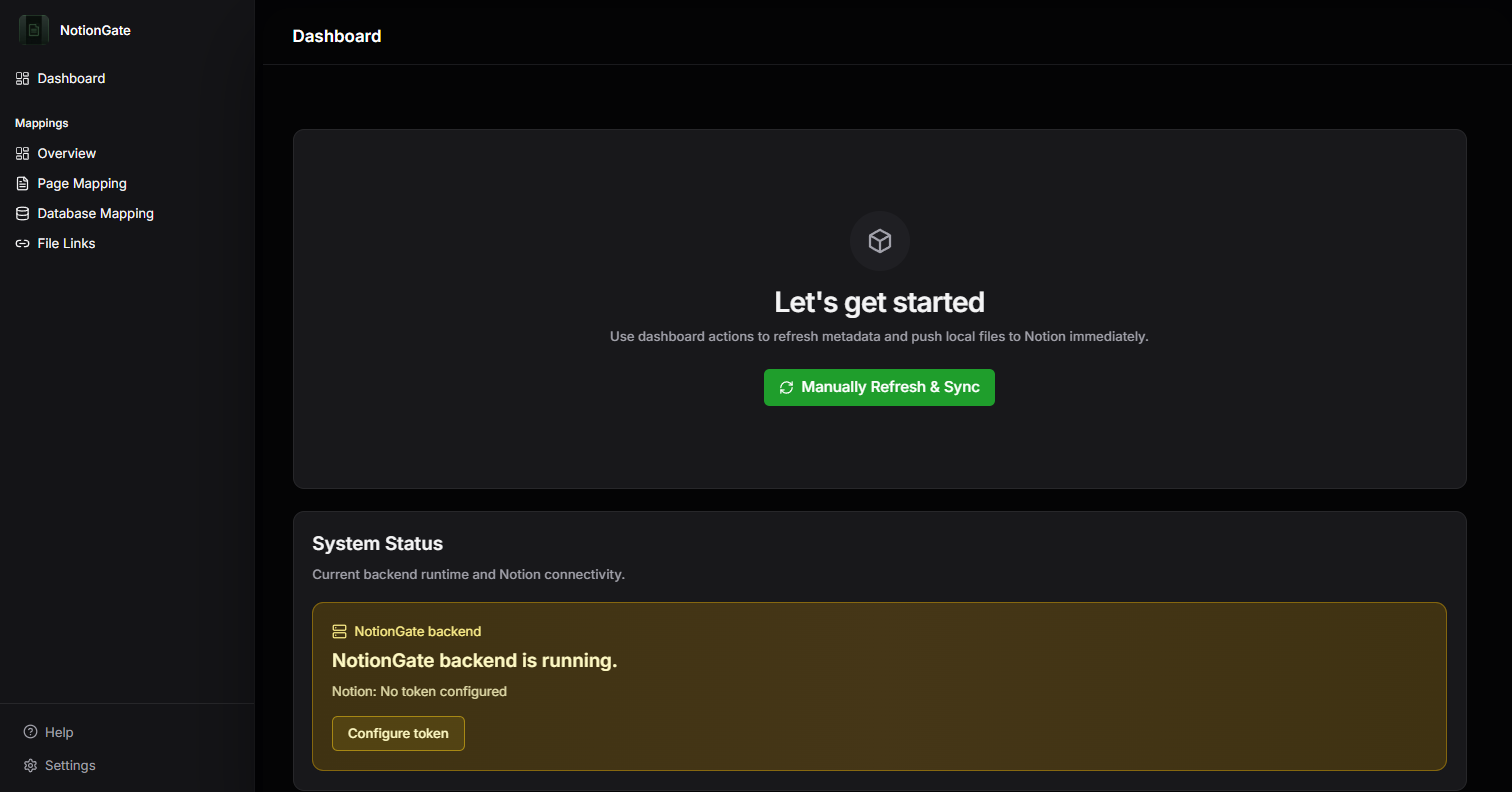
NotionGate adds clickable links in Notion that open your local files.
- Version
- 0.7.1beta
- Platforms
- 2Win, macOS
- Installs
- N/Alive
- From
- 0€
- brief.pdf1.2 MB
- budget.xlsx88 KB
- site-photo.png3.4 MB
- notes.md4 KB
- archive\skipped
- contract-v2.pdfnew
- brief.pdf
- budget.xlsx
- site-photo.png
- notes.md
- contract-v2.pdfnew link
Example: 4 files in C:\Clients\Atlas, linked into the Notion page Atlas.
Link only what belongs in Notion.
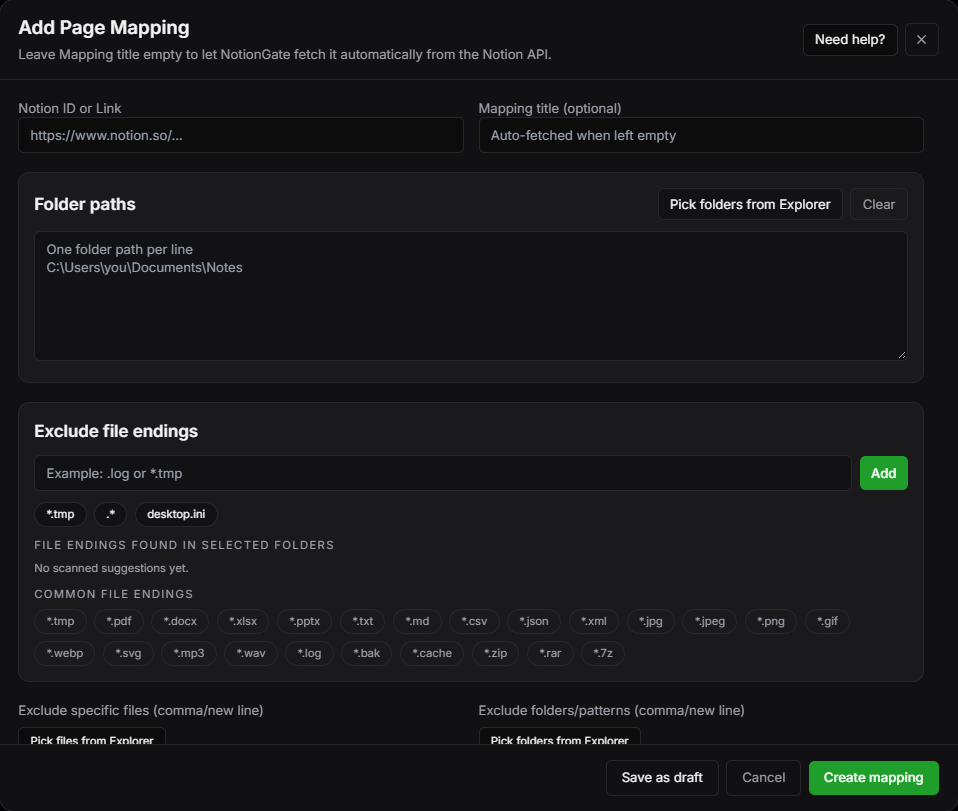
Use ignore extensions, ignore files, and exclude folders for precise sync control.
- Documents.pdf .md
- Spreadsheets.xlsx
- Media.png .mp4
- Archive folderAn excluded subfolder
- brief.pdf1.2 MB
- budget.xlsx88 KB
- site-photo.pngskipped
- notes.md4 KB
- archive\skipped
- brief.pdf
- budget.xlsx
- notes.md
Example: 4 files in C:\Clients\Atlas, linked into the Notion page Atlas.
One editor for every mapping.
Page and database mappings share one clean editor so you can add, edit, and organize sync folders faster.
Local folder
C:\Clients\Atlas
- brief.pdf
- budget.xlsx
- notes.md
- kickoff.mp4
Notion page
Atlas
- brief.pdfOpens locally
- budget.xlsx
- notes.md
- kickoff.mp4
C:\Clients\Atlas\brief.pdf
Built for real Notion-to-local workflows
- Lightweight
- With the UI closed, the local server and linked-file workflows stay lightweight while background checks and sync continue.
- Unified mapping dashboard
- Page and database mappings share one clean editor so you can add, edit, and organize sync folders faster.
- Lifecycle-safe sync
- Create, rename, move, and delete workflows stay aligned between your folders and Notion destinations.
- Advanced filtering
- Use ignore extensions, ignore files, and exclude folders for precise sync control.
- Offline mode
- When internet drops, existing local links keep working and queued updates sync automatically once reconnected.
- Multi-device cloud sharing
- Pro and Team plans support cloud-backed workflows to access synced files across devices.
- Health page (currently not available)
- The health page is currently not available. It will provide checks to verify whether all configured mappings are working correctly.
- Bulk mappings creator
- Create mappings in bulk for folders matching a pattern to accelerate setup and automate mapping creation.
Release log
Full changelog| Version | Released | Changes | First note |
|---|---|---|---|
| v0.7.1current | Nov 2026 | 6 | Health Checks |
| v0.6.1 | Nov 2026 | 8 | New Look |
| v0.6.0 | Jul 2026 | 8 | Cross-Platform Release |
| v0.5.4 | Apr 2026 | 6 | Performance |
| v5.1.3 | Mar 2026 | 5 | Startup Experience |
| v5.0.0 | Mar 2026 | 5 | Major Qt UI Backport |
Choose your NotionGate plan
NotionGate is currently in beta. Plans and limits may evolve with upcoming releases.
Free
Start linking essential folders to Notion
0€
Good for trying the beta with small personal workflows.
- 3 folder syncs
- 10 files per folder max.
- Limited support
- No offline linking
NotionGate Pro
Lifetime license for advanced local-to-Notion workflows
Regular price 12€Now 0€
Free for the first 100 accounts
Lifetime license, no subscription. Sign in on this website and claim it in your account; no payment details needed.
- Database link support
- Offline mode
- Unlimited folders and files
- Priority support
- 2 devices with cloud sharing (for example Google Drive)
NotionGate Team
For teams and companies managing larger sync operations
Contact
No public price. Contact us for a custom team setup.
- All NotionGate Pro features
- Adjustable team size
- Cloud sync for cross-device access
- Priority onboarding and migration support
FAQ
Get NotionGate
Download the desktop app or learn more about integrations and bulk mapping tools.